
ChatGPT
Connect ChatGPT to your Google Ads account
Switch on developer mode, create the app with one URL, and ask your first question in the chat you already use.
- Works on ChatGPT's Free plan
- Your own Google sign-in
- It cannot delete
Setup
Six steps, once
You add AdCopilot to ChatGPT yourself, from developer mode, rather than picking it from a list. Every label below is ChatGPT's own.
Connect your Google Ads account
Sign up, then sign in with Google itself. You grant access to the accounts you can already open in the Google Ads interface, and nothing widens that.
Turn on developer mode in ChatGPT
Open the profile menu at the bottom left, then Settings, then “Security and login”. Scroll down to “Developer mode” and switch it on. ChatGPT tags it “Elevated risk” and warns that apps added this way could change or erase data. It says that of every app you add yourself; AdCopilot cannot delete, and it changes the account only when you ask it to.
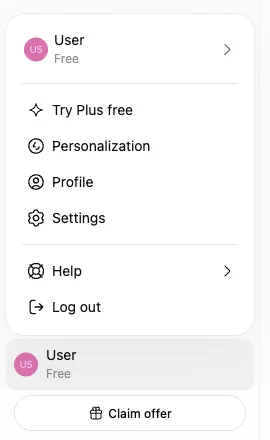
Profile menu, then Settings 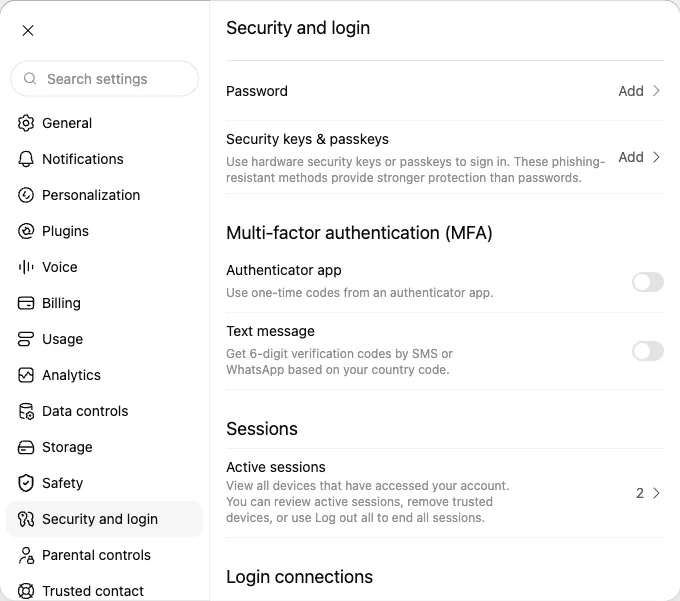
Security and login 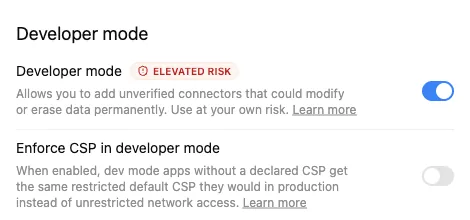
Scroll down: Developer mode, switched on Create the app
Open Plugins in the sidebar, press + at the top right next to “Search plugins”, and choose “Create app”. A “New Plugin” box opens with a place to drop a file: ignore that and press “Create MCP App” at the bottom left.
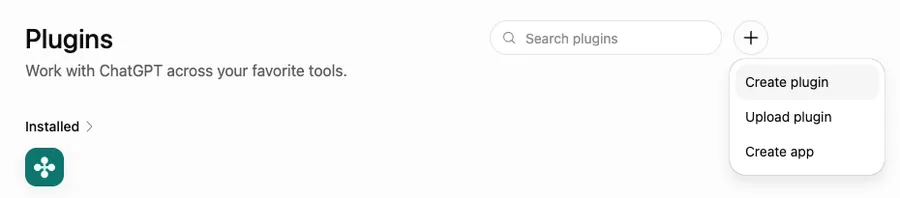
Plugins, then +, then Create app 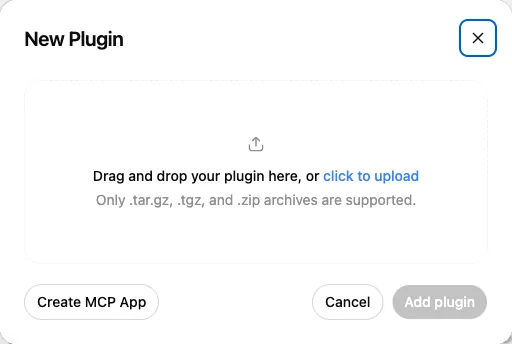
Create MCP App, not the upload Fill in the form
Type AdCopilot as the Name; it is what you type after @ later. Paste the description and the URL below, leave Connection on “Server URL” and Authentication on “OAuth”, tick “I understand and want to continue”, then press Create.
Name AdCopilotDescription Google Ads, Analytics, Search Console and Tag ManagerConnector URL https://mcp.adcopilot.cloud/mcpGoes in the Server URL field. The same URL for every client.
The icon is optional. To see our mark beside the name in ChatGPT, download the icon (a 256 px PNG under ChatGPT's 10 KB limit) and add it at the top of the form.
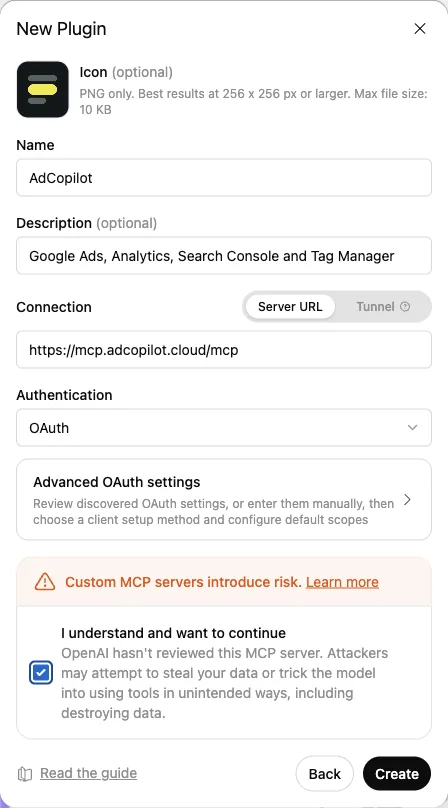
The form, filled in Sign in with AdCopilot, then approve
ChatGPT shows “Add AdCopilot to ChatGPT”. Press “Sign in with AdCopilot”; a new tab asks “Let ChatGPT use your AdCopilot?” Press Approve. If that tab keeps spinning afterwards, close it and go back to ChatGPT, which says “AdCopilot is installed.” If the app's page then says “No app tools available yet”, that is ChatGPT catching up; the chat works anyway.
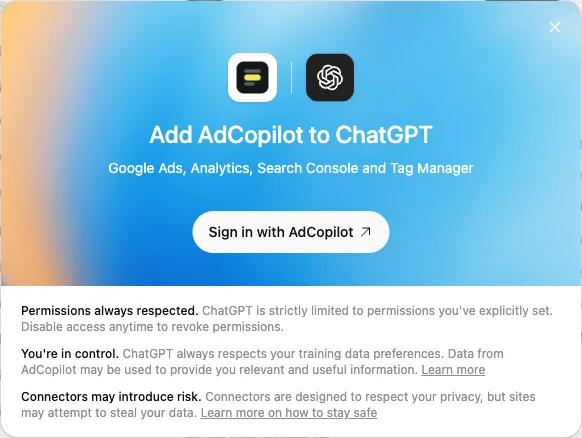
Sign in with AdCopilot 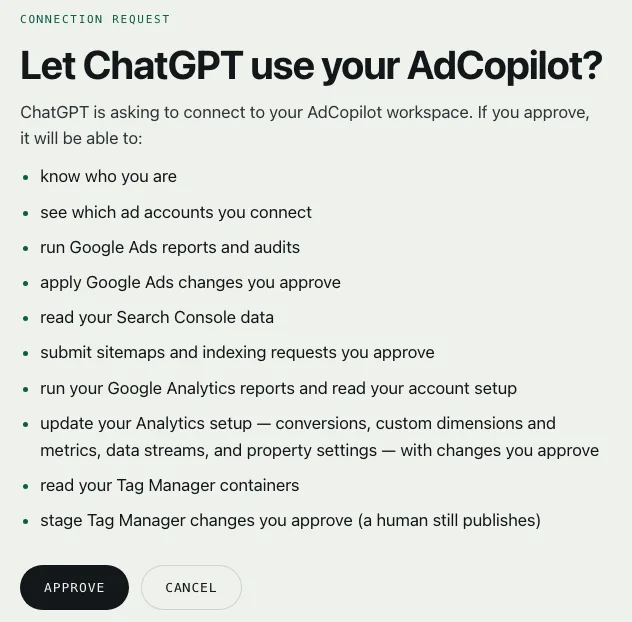
Approve, on our page 
Back in ChatGPT 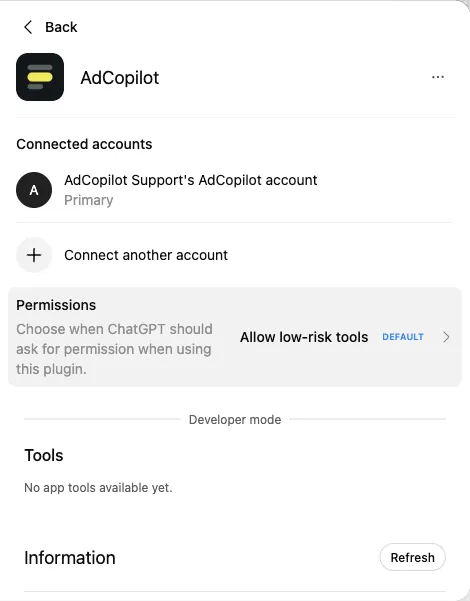
No app tools available yet: safe to ignore Type @AdCopilot in a new chat, then ask
Open a new chat, type @AdCopilot and pick it from the list, then ask — “get me started” is a good first message. Picking it with @ is what makes ChatGPT use AdCopilot instead of searching the web.
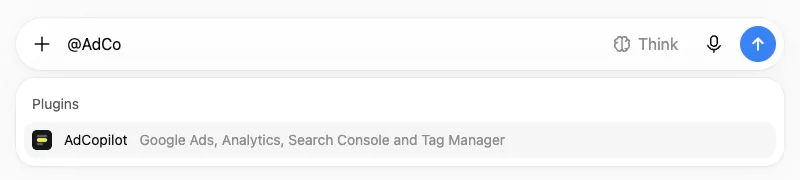
Type @ and pick AdCopilot 
Then ask
Full step-by-step in the docs: Connect ChatGPT.
The first turn
What ChatGPT answers first
You ask in plain words, the connector reads the account live, and the answer comes back with the request beside it.
An illustrative first turn: the assistant reads four connected products.
Google Ads
campaigns · spend

Google Analytics
key events
Search Console
verified sites

Tag Manager
tags · triggers
first read, before any change
Where you stand
- Account
- live, spending daily
- Tracking
- one tag quiet for 11 days
- Search terms
- 18% of spend unchosen
- Schedule
- always on, results are not
Start with the quiet tag.
Illustrative session
Asked in an ordinary ChatGPT conversation that starts with @AdCopilot, once you have created the app yourself. Nothing waits on a listing.
Questions
Listings, plans and limits
Whether ChatGPT can manage the account, whether to wait for a listing, which plan, what it changes, what it stores, how to stop.
Yes, with a connector: on its own it can only talk about your account. Added as an app in developer mode, ChatGPT reads the account live and, on your instruction, builds campaigns, adds negatives and adjusts bids and targeting. It cannot delete, and every call is written down.
On our side: Queries run live against your account; audit reads are cached for up to an hour and a saved audit's findings for 180 days; we log each tool call; and your workspace's business profile is kept until its owner deletes it. The conversation, tool results included, lives with OpenAI under its policy and your plan settings.
No. ChatGPT works today as an app you add yourself in developer mode; a directory listing is planned. You create the app with the URL yourself, and what the connector can reach is the same either way.
No. It works on the Free plan once developer mode is on; the steps on this page were checked on a Free account. In a Business, Enterprise or Edu workspace, developer mode depends on workspace policy, so an admin may have to allow it before you see the switch.
What you ask it to, inside limits that hold on our server: it cannot delete, it will not switch on the campaign it built, and it asks for your budget before it builds. Every call is written down, refusals included.
Remove AdCopilot under Plugins in ChatGPT's settings, and withdraw the Google access from your Google account. Neither needs us, and both take effect at once.
Ask
Developer mode not there?
Send the step you are on and what you are seeing, and we will answer.