Connect ChatGPT
Add AdCopilot to ChatGPT in developer mode — turn developer mode on, create the app with the connector URL, sign in and approve, then type @AdCopilot in a new chat. Works on ChatGPT's Free plan.
ChatGPT does not take a pasted URL in a settings box the way Claude does. You turn on developer mode, then create AdCopilot as an app yourself. It takes about three minutes and works on ChatGPT's Free plan.
Every label below is ChatGPT's own, checked click by click on 23 September 2026. ChatGPT moves these screens often, so follow the words; the pictures only support them.
Before you start, connect Google Ads (and any other Google product) at app.adcopilot.cloud. See Connect Google Ads.
1. Turn on developer mode
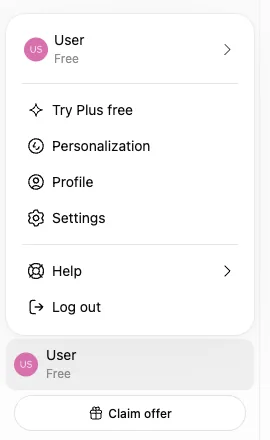
Open the profile menu at the bottom left, then Settings, then Security and login. Scroll down to Developer mode and switch it on. This link opens the right settings panel, but you still have to scroll down: chatgpt.com/#settings/Security.
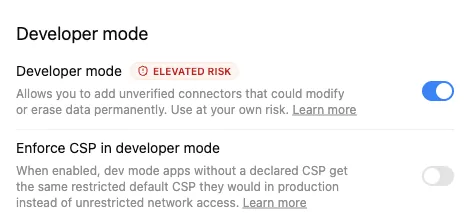
ChatGPT tags developer mode Elevated risk and warns that apps added this way could change or erase data. It says that of every app you add yourself. AdCopilot cannot delete, and it changes your account only when you ask.
On a Business, Enterprise or Edu workspace, an admin may have to allow developer mode before you see the switch.
2. Create the app
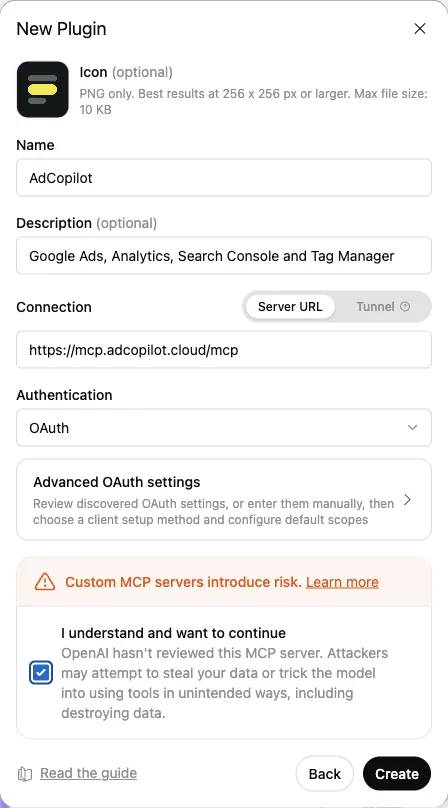
Go to chatgpt.com/plugins. Press + at the top right, next to Search plugins, and choose Create app. A New Plugin box opens with a place to drop a file. Ignore that and press Create MCP App at the bottom left.
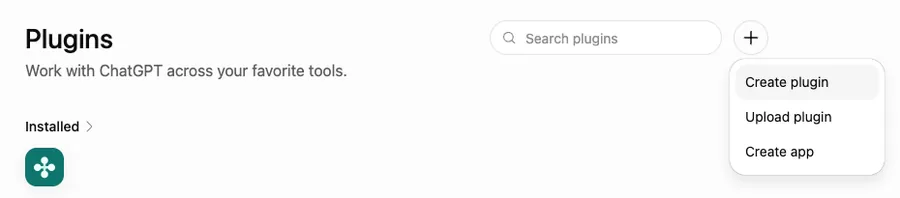
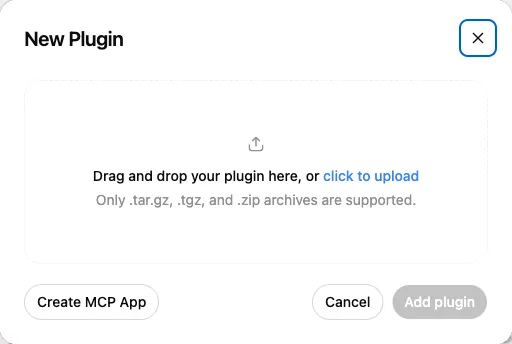
There is no direct link to this form. Don't use Upload plugin.
3. Fill in the form
| Field | Value |
|---|---|
| Name | AdCopilot — this is what you type after @ later |
| Description | Google Ads, Analytics, Search Console and Tag Manager |
| Connection | Server URL (the default) |
| Server URL | the URL below |
| Authentication | OAuth (already selected — leave it) |
https://mcp.adcopilot.cloud/mcpTick I understand and want to continue, then press Create.
The icon is optional. To see our mark beside AdCopilot in ChatGPT, download the icon (a 256 px PNG, under ChatGPT's 10 KB limit) and add it at the top of the form.
4. Sign in and approve
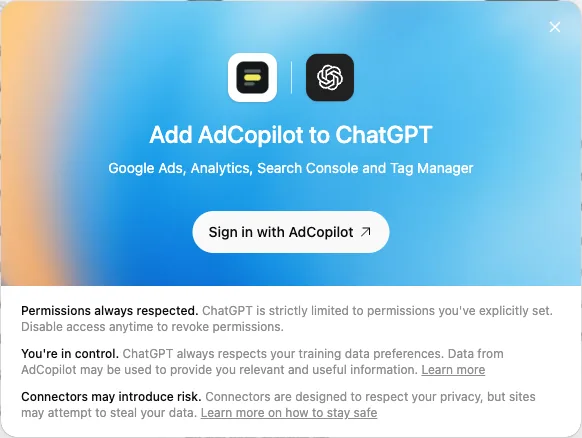
ChatGPT shows Add AdCopilot to ChatGPT. Press Sign in with AdCopilot. A new tab opens our page, Let ChatGPT use your AdCopilot? Press Approve.
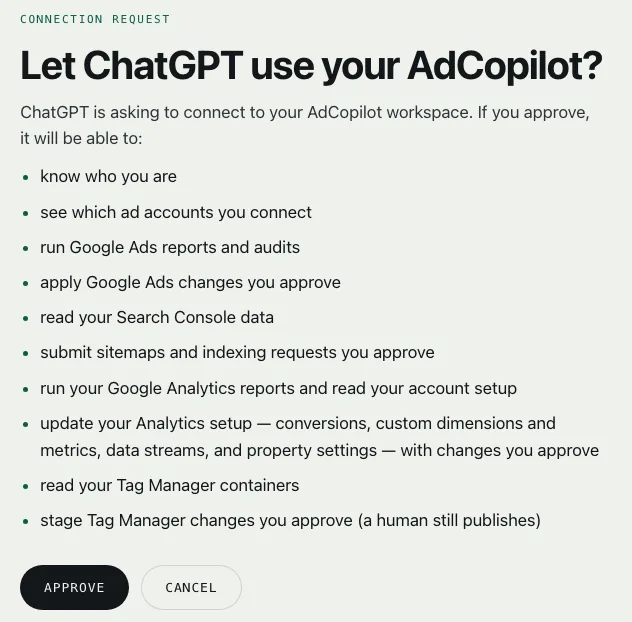
If the tab keeps spinning after you approve, close it and go back to the ChatGPT tab. It says AdCopilot is installed.
If the app's page then says No app tools available yet, that is ChatGPT catching up. Our server has already answered. Carry on to step 5.
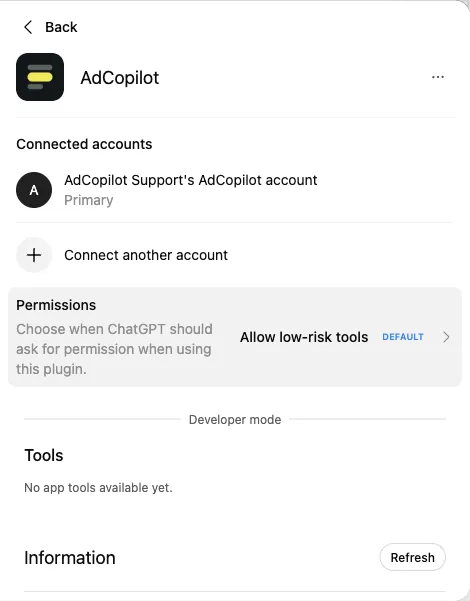
5. Type @AdCopilot in a new chat
Open a new chat, type @AdCopilot and pick it from the list, then send:
Get me started with AdCopilot
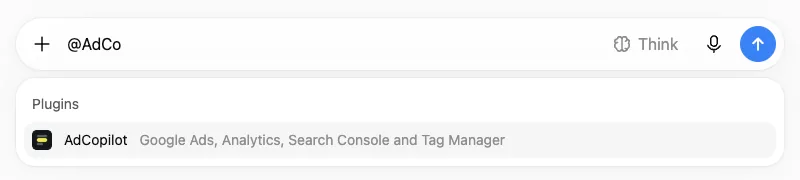
Picking it with @ is what makes ChatGPT use AdCopilot instead of searching the web. Do it at the start of each new chat.
If something goes wrong
See Connecting ChatGPT for: no developer mode switch, "No app tools available yet", ChatGPT searching the web instead, and the sign-in tab that keeps spinning.
Disconnecting
Remove AdCopilot from ChatGPT's settings, or Revoke ChatGPT under Connections in the AdCopilot dashboard. Either takes effect at once.
Connect your assistant
One connector URL for every AI assistant. Pick yours — ChatGPT, Claude, Claude Code, Codex, Gemini CLI or any MCP client — and follow its steps.
Connect Claude
Add AdCopilot to Claude on the web or desktop as a custom connector — open Add custom connector, paste the URL, connect and approve, let read-only tools run without asking, then say "Get me started with AdCopilot". Works on Claude's Free plan.