Stop emails
Stop AdCopilot's emails with the link at the bottom of each one, or switch them off by kind in Email settings. Receipts, payment and account emails and legal notices still come.
From the email itself
Every email you can stop ends with a link to stop it: Unsubscribe from these emails at the bottom. Some reminders say Stop these: instead, and trial emails Stop trial emails:.
Each workspace has its own email settings. If you have more than one workspace, stop the emails in each.
Open the link
It opens a page that names the kind of email it stops. Nothing has changed yet.
Press Unsubscribe
That kind of email stops. The daily check-in's link also pauses the check-in itself, so AdCopilot stops reading your account for it; press Resume in Check-ins to start it again.
Your mail app's own Unsubscribe button, where it shows one for our emails, does the same.
From the dashboard
Open Email settings
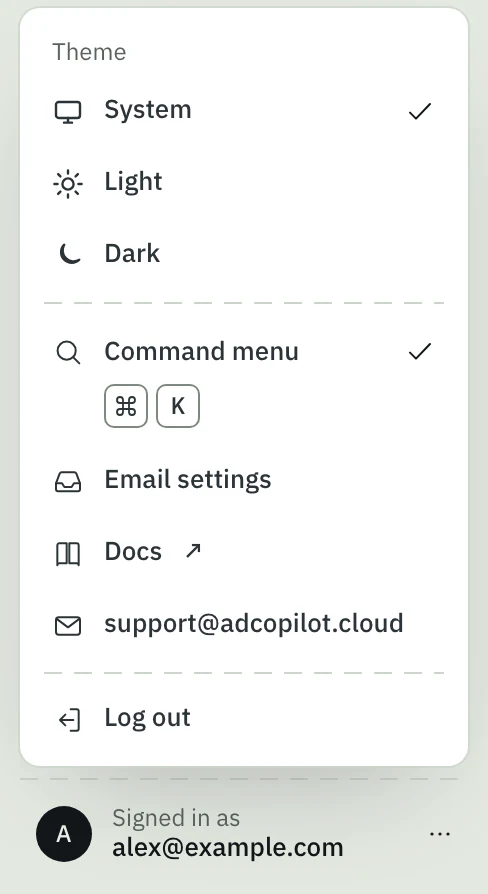
Sign in at app.adcopilot.cloud, press Signed in as at the bottom of the left menu, and choose Email settings. It is the workspace owner's page: our emails go to the owner. It covers the workspace you are in, so switch workspace (the name at the top of the left menu) to change another's.
Switch off what you don't want
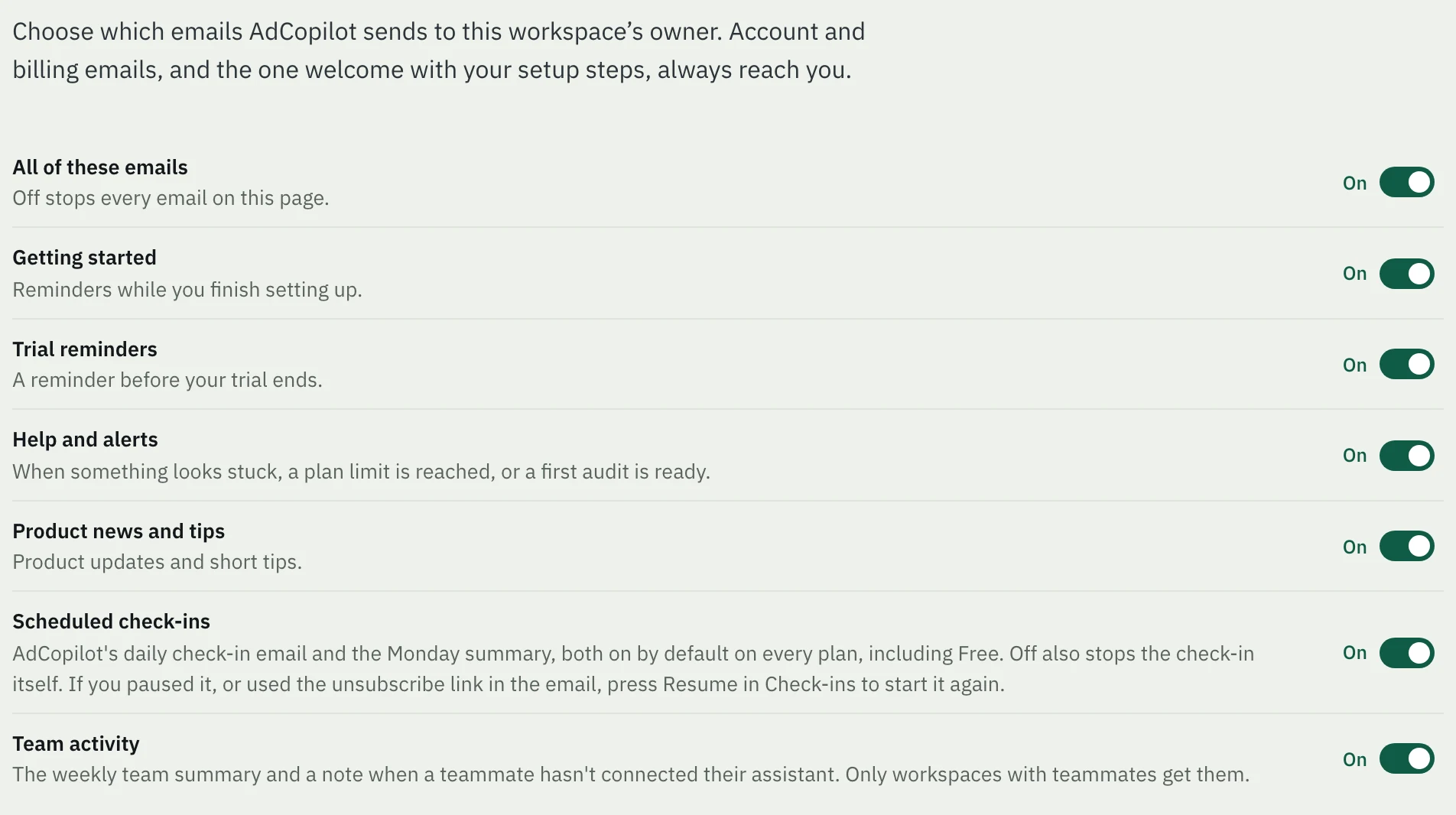
Switch off a kind, or switch off All of these emails to stop every one on the page. It saves at once. This is also where you switch one back on.
What still comes
These are about your account, not offers, so no setting stops them:
- receipts, and emails about a payment, your plan or a card added for the trial;
- sign-in and connection notices, such as Google asking you to reconnect;
- legal notices, such as a change to our Terms of Service or Privacy Policy;
- the one welcome with your setup steps.
To stop every email, including these, ask us to delete your account.
Team and seats
Invite teammates to a workspace by their Google address to share connected accounts. Each plan includes seats, and paid plans add more at $19 a month each, up to the plan's limit; on a paid plan, each person has their own daily operations.
Delete your account
How to have your AdCopilot workspace and its data deleted, what is deleted, what we keep and why, and what you can switch off yourself in the meantime.