Invite a teammate
Invite someone to your workspace from the Team page by their Google address, as a member or a viewer; what the invitation email says; and how to resend, revoke or replace a waiting or expired invitation. They sign in with their own Google account.
Every workspace is invite-only, and only the owner invites. Each person takes a seat, and a waiting invitation holds one too. How many seats each plan has is on Team and seats.
Open Team
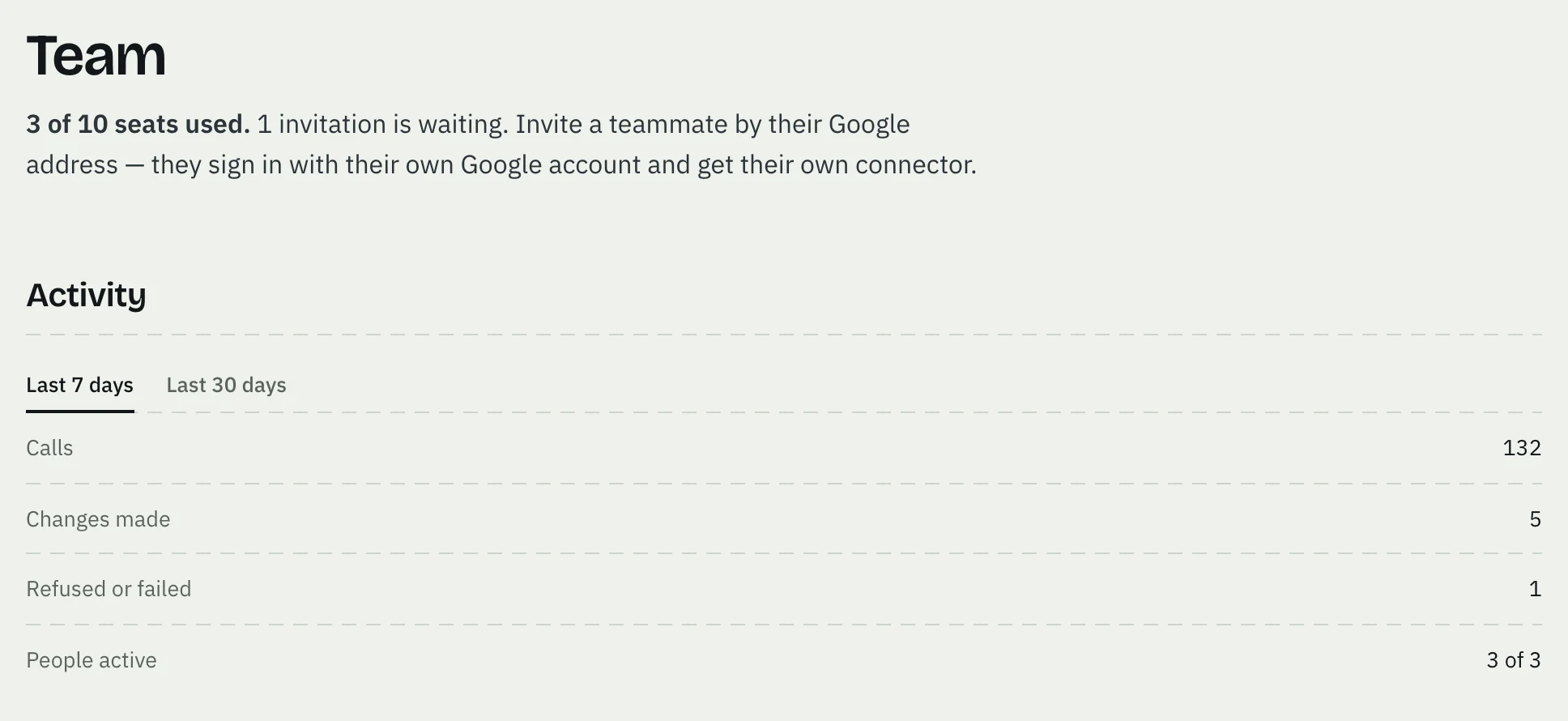
Sign in at app.adcopilot.cloud and choose Team in the left menu. The top line says how many seats are used and how many invitations are waiting.
Enter their Google address and a role
Under the people, type the address of their Google account, the one they sign in to Google with. Choose member — full access or viewer — read-only, and press Invite.

If every seat is taken or invited, the Team page says so in place of the form.
AdCopilot emails the invitation
It comes from AdCopilot, with your address in the subject: "you@example.com invited you to their AdCopilot workspace". It names the workspace and the role, says what you as the owner can see of their use, and gives the link, the Google account to open it with and the date it works until.
If the Team page says the invitation is ready, nothing was emailed: copy its link and send it yourself.
Follow it under Waiting invitations
Each waiting invitation shows its address, whether it was emailed, its role and the date it stops working. Copy copies its link. Resend emails it again. Revoke ends it at once, after you confirm, and frees its seat.
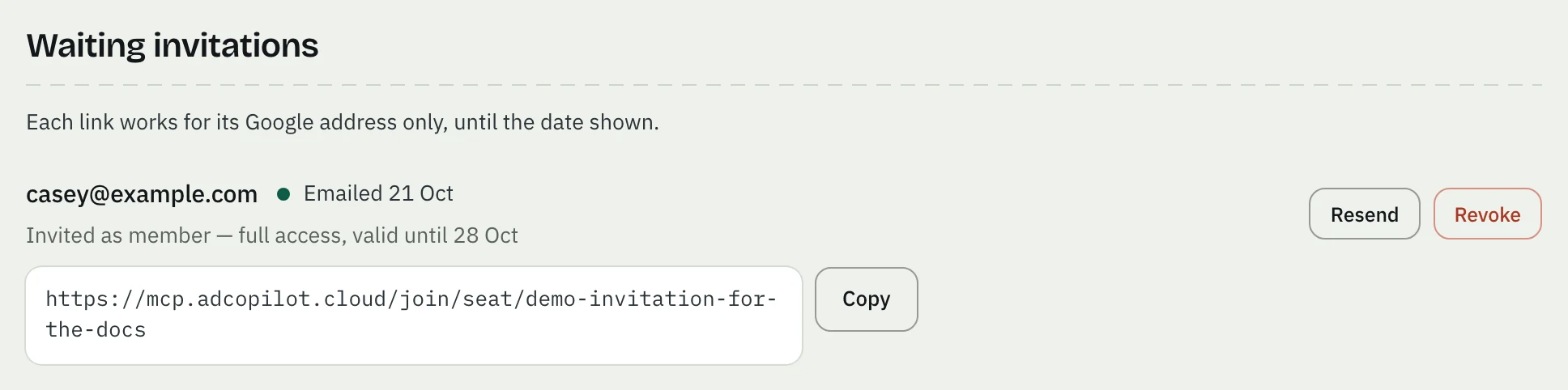
An invitation works for 7 days and only once. When it expires it leaves the list, and its link says it is no longer valid: invite the address again. Inviting an address that already has an invitation replaces the old one.
They join with their own Google account
They open the link, see Join … on AdCopilot, type their name and press Continue with Google. Google must sign them in as the invited address: any other Google account is refused and nothing is created. They never use your Google account or your password. You get an email when they join.
Then they connect their own AI assistant: see Connect your assistant.
Change a role later
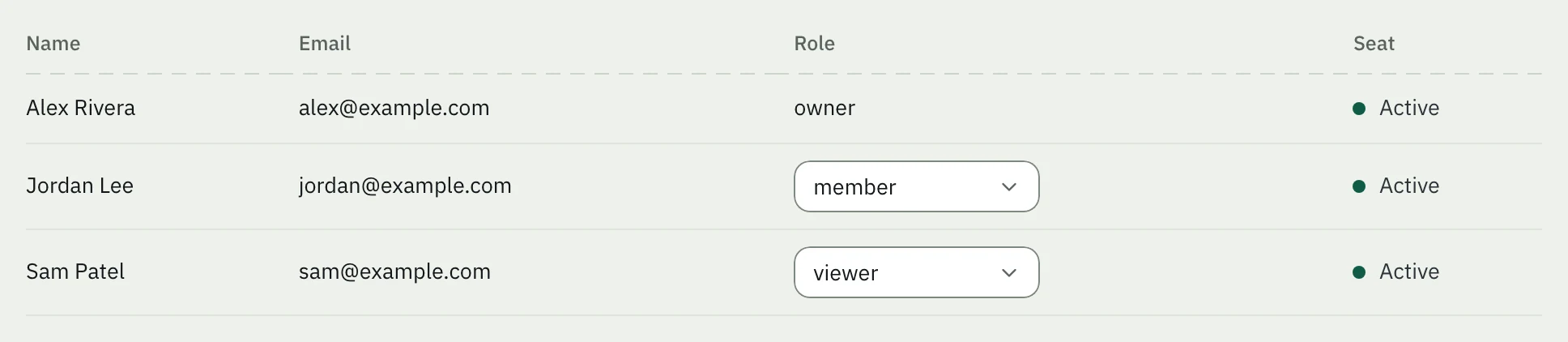
On Team, each person's role can be changed in the list. A viewer can read but not change anything. See Roles and access.
Something not working? See Teammate problems.
Billing and plans
AdCopilot's plans are sized by how many Google Ads accounts you run, with a daily operations cap. Your first workspace starts on a 5-day Pro trial; without a card it moves to Free — never a lockout.
Team and seats
Invite teammates to a workspace by their Google address to share connected accounts. Each plan includes seats, and paid plans add more at $19 a month each, up to the plan's limit; on a paid plan, each person has their own daily operations.